Airtel free 3G Trick working in Many States june 2014
Labels:
Airtel
·


Get full bandwidth in Public WiFi or LAN in college or Schools Working Tested Trick
Labels:
Tricks & Tips
·
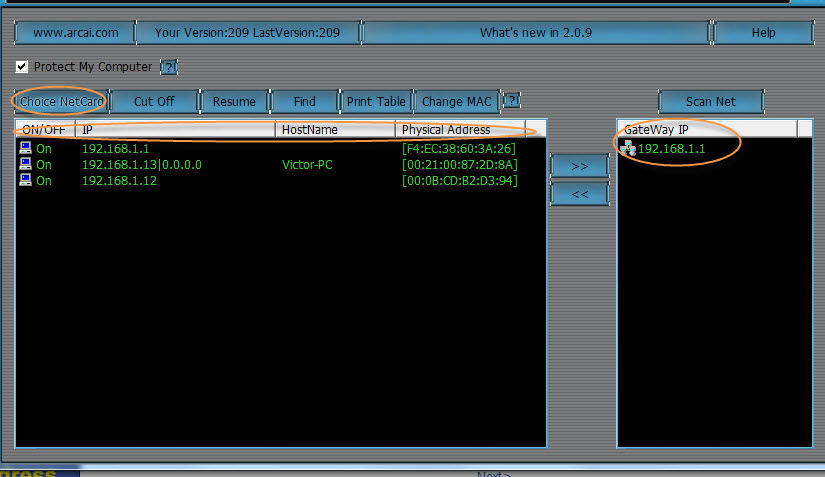
Hi Guys, Now i may introduce you to a tool which gives you 100% bandwidth.
Repairing a corrupt flash drive Using Command Prompt Trick
Labels:
Tricks & Tips
·

Hi.. In This Tutorial i will Show you Steps for repairing your USB Pendrive..
Advantages of Attractive Web Design
Labels:
Other topics
·

Attractive Web design is the key factor for success of a business. As much as viewers are attracted to visit the website, the link with the customer will be strengthened which ultimately help the growth of the business. It depends on the ability of the web designing company to design and extend service as to the inviting of visitors to the website as much as possible.
Difference Between Right Shit and Left Shift Key
Labels:
Other topics
·
The left and right Shift key on a computer keyboard perform the same function.
When pressed and held down it will change the case of the letter to uppercase or use the alternate character on any other key.
Internet Download Manager Latest Crack + Patch Download
Labels:
Softwares
·

We have used the Previous crack of idm and it had worked for us from a long time.Now here is the new crack for it.
It is the crack till Internet Download Manager 16.18 Build 11.
Vodafone 3G hack UP East Working 100% Updated 10 September 2013
·

Internet Download Manager 6.17 Build 8 Full version Keygen + Crack
Labels:
Softwares
·

Powerful and effective, Internet Download Manager includes a huge range of features which will help users to perform files download. It is useful for those who want to get a huge amount of files in a few times.
Kundli 5.5 Full Free download for Windows
Labels:
Softwares
·

How to Hack School Laptops?
Labels:
Tricks & Tips
·

1. First of all we have to find a way to get into "Startup Repair". All I done was started it and mid boot disconnected the battery, this probably isn't good for it, but it works.
2. Wait for the "Startup Repair" to complete, it will say that it found no errors and give you the option to send a report. Do not close this box!
3. Find where it says "View error information" or something similar to that, Click on it and it will open up a notepad.
4. Click File > Save, then navigate to C:/windows/system32/.
5. Locate rename "osk.exe" to anything, this is the On Screen Keyboard.
6. Locate and copy "cmd.exe" and paste it in system32 and rename the copy of "cmd.exe" to "osk.exe".
7. You are now finished with "Startup Repair", reboot your laptop but do not login!
8. Click the "Accessibility Wheel" and turn on "On Screen Keyboard".
9. This will open command prompt, type 'control userpasswords2' and set your account to administrator!
Congratulations you are now Administrator!
Now all you need to do is locate your proxy client that is installed on your laptop. You can find this in "Program Files".
Mine was "BlueCoat Proxy", I renamed the "ProxyClientConfig.xml" to something else and it disables it.'
You're all done, it's pretty simple.
Please Say thanks.....And do-do like my facebook page.

Subscribe to:
Posts (Atom)


+Build+9385+X86+Torrent.png)

